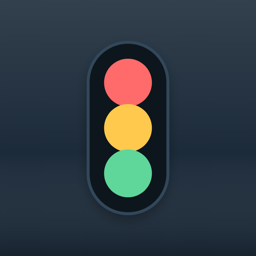
Floating traffic light for AI coding agents. Shows when your agent is idle, thinking, or writing files, without switching windows or reading the terminal.
| Light | Meaning |
|---|---|
| Green | Ready for a new task (idle) |
| Yellow | Thinking / running tools |
| Red | Writing or editing files |
Semaphore is a small always-on-top widget in the system tray. AI tools send activity updates through hooks, and Semaphore updates the light.
Table of contents
- Download
- Quick start
- Using the app
- Supported tools
- semctl CLI
- Configuration
- How it works
- Architecture
- Development
- Themes & i18n
- Sounds
- Stream Deck
- Stealth mode
- Troubleshooting
- Contributing
- License
Download
Pre-built binaries for macOS (Apple Silicon & Intel), Linux, and Windows:
Each release includes:
| Asset | Description |
|---|---|
| Semaphore app | .dmg (macOS), .msi (Windows), .deb or .AppImage (Linux) |
| semctl | CLI bundled inside the app; copied to ~/.semaphore/bin/ on first run |
You don't need a terminal for normal use after install.
macOS: If the system says the app is damaged or won't open after download, see macOS Gatekeeper below. The app is not corrupted — macOS blocks unsigned downloads by default.
Quick start
- Download a release for your OS (or build from source)
- Launch Semaphore. It stays in the system tray and shows the floating widget
- Complete onboarding (first launch) or open Settings and connect your AI tools
- Use your tools normally. Hooks update the light automatically
To connect tools from the terminal instead:
semctl install --all
semctl doctor
Using the app
Move the widget
Click and drag the traffic light body (the dark housing with the three lights). Do not drag the empty space around it; grab the semáforo itself.
On hover, a tooltip shows "Click and drag here to move" (or the Portuguese equivalent).
Settings
Open settings from:
- Hover the widget and click the ⚙ button (top-right corner)
- Right-click the tray icon → Settings
Settings opens in its own window with:
| Section | Options |
|---|---|
| Appearance | Theme, widget size (small / medium / large), horizontal layout |
| Language | English, Portuguese (Brazil) |
| Behavior | Stealth mode, always on top, idle timeout, launch at login |
| Tools | Detect installed AI tools, connect / disconnect hooks |
| Sounds | Per-stage audio alerts (presets or custom files) |
| About | Version, restart onboarding |
Tray menu
Right-click the Semaphore icon in the system tray:
| Menu item | Action |
|---|---|
| Show Semaphore | Show the floating widget |
| Hide Window | Hide the floating widget |
| Settings | Open the settings window |
| Toggle Stealth | Hide the widget from screen capture |
| Always on Top | Keep the widget above other windows (not in macOS fullscreen) |
| Horizontal | Rotate the traffic light to a horizontal layout |
| Test Lights | Play a short melody and cycle green, yellow, and red |
| Play Genius | Memory game: repeat the light sequence by clicking the lights |
| Quit | Exit Semaphore |
Left-click the tray icon to show/focus the widget.
Onboarding
On first launch, onboarding helps you connect tools and position the widget. Replay it from Settings → About → Restart onboarding.
Launch with tools
When Launch with tools is enabled in Settings, Semaphore adds a session-start hook to every connected tool so the app opens automatically when you start a new AI session. This is optional and off by default.
Supported tools (v0.1)
| Tool | Status | Config path | Install |
|---|---|---|---|
| Cursor | Supported | ~/.cursor/hooks.json |
Settings → Connect, or semctl install cursor |
| Claude Code | Supported | ~/.claude/settings.json |
Settings → Connect, or semctl install claude-code |
| Codex CLI | Supported (Bash hooks; file edit limited) | ~/.codex/hooks.json + ~/.codex/config.toml |
Settings → Connect, or semctl install codex |
| Gemini CLI | Supported | ~/.gemini/settings.json |
Settings → Connect, or semctl install gemini-cli |
| Copilot CLI | Partial support (varies by version) | ~/.copilot/hooks.json |
Settings → Connect, or semctl install copilot-cli |
# Install hooks for all supported tools
semctl install --all

# Remove Semaphore entries from tool configs
semctl uninstall --all

# Check installation health
semctl doctor
Per-tool hook mapping
See adapters/README.md and the per-tool docs:
- Cursor
- Claude Code
- Codex CLI:
PreToolUse/PostToolUsemainly fire for Bash today; red light for file edits is limited - Gemini CLI
- Copilot CLI: hook surface varies by Copilot CLI version
The installer merges hook entries into your existing config using a _semaphore marker. It never overwrites unrelated hooks.
semctl CLI
semctl is the command-line interface for hooks, installation, and manual control. After install it lives at ~/.semaphore/bin/semctl (or semctl.exe on Windows).
Set light state
semctl green                          # idle
semctl yellow                         # thinking
semctl red                            # writing
semctl set yellow --session my-id --source script --reason "custom"
Query state
semctl status # prints: green | yellow | redInstall / uninstall hooks
semctl install cursor
semctl install --all
semctl uninstall claude-code
semctl uninstall --all
Diagnostics & launch
semctl doctor                         # config dir, socket, binaries, per-tool hooks
semctl launch                         # start Semaphore if not running
Environment variables
| Variable | Purpose |
|---|---|
SEMAPHORE_SOCKET |
Override IPC socket / named pipe path |
SEMAPHORE_BIN |
Override path to semctl (used by sem-hook) |
SEMAPHORE_SEMCTL |
Source binary for deploy_semctl |
sem-hook
~/.semaphore/bin/sem-hook is a thin wrapper invoked by AI tool hooks. It parses optional JSON from stdin (for session_id, conversation_id, or sessionId), then calls semctl set. Hooks always exit 0 so they never block the agent.
Configuration
Config is stored at ~/.semaphore/config.json and created with defaults on first run.
{
  "idle_timeout_secs": 300,
  "stealth": false,
  "always_on_top": true,
  "theme": "classic",
  "locale": "en",
  "stealth_acknowledged": false,
  "onboarding_completed": false,
  "autostart": false,
  "launch_with_tools": false,
  "window": {
    "x": 20,
    "y": 20,
    "size": "medium",
    "horizontal": false
  },
  "sounds": {
    "enabled": false,
    "green": { "preset": "soft-chime", "custom_path": null },
    "yellow": { "preset": "double-ping", "custom_path": null },
    "red": { "preset": "alert", "custom_path": null }
  }
}| Field | Default | Description |
|---|---|---|
idle_timeout_secs |
300 |
Stale sessions are pruned after this many seconds with no updates |
stealth |
false |
Hide widget from screen capture |
always_on_top |
true |
Keep widget above other windows |
theme |
"classic" |
classic, minimal, or neon |
locale |
"en" or auto-detected pt-BR |
UI language |
window.size |
"medium" |
small, medium, or large |
window.horizontal |
false |
Horizontal traffic light layout |
sounds.enabled |
false |
Play audio on state transitions |
autostart |
false |
Launch Semaphore at login |
launch_with_tools |
false |
Auto-launch Semaphore when a connected tool starts a session |
Custom sounds are copied to ~/.semaphore/sounds/ (max 512 KB; mp3, wav, ogg, m4a, aac, webm).
How it works
AI tool lifecycle events
        │
        ▼
  Tool hooks.json / settings.json
        │
        ▼
  sem-hook (parses stdin, resolves session)
        │
        ▼
  semctl set <state> --session <id>
        │
        ▼
  IPC (Unix socket / Windows named pipe)
        │
        ▼
  Semaphore app (state machine → UI)
- Hooks fire when an AI tool starts thinking, uses a tool, edits a file, or finishes a turn.
sem-hookmaps the event to a light color and forwards it tosemctl.semctlsends a JSON line over IPC to the running Semaphore app.- State machine tracks one entry per session ID and picks the highest-priority color: red > yellow > green.
- UI receives a
state-changedevent and updates the widget (and optional sound).
Stale sessions are pruned every 30 seconds based on idle_timeout_secs. Setting a session to green removes it from the active set.
Architecture
Crates
| Crate / package | Role |
|---|---|
| sem-core | State machine, session aggregation, IPC server/client, config |
| semctl | CLI: set, status, install, uninstall, doctor, launch |
| semaphore (Tauri) | Floating widget, tray, settings & onboarding windows |
Frontend (src/) |
TypeScript + Vite: widget rendering, themes, i18n, sounds |
IPC protocol
Newline-delimited JSON over:
- Unix/macOS/Linux:
$XDG_RUNTIME_DIR/semaphore.sock, or/tmp/semaphore-<uid>.sock - Windows:
\\.\pipe\semaphore
Set state:
{"cmd":"set","state":"yellow","session":"abc123","source":"cursor","reason":"thinking"}Query state:
{"cmd":"status"}Response:
{"state":"yellow"}Project layout
semaphore/
├── adapters/           # Per-tool hook templates & docs
├── crates/
│   ├── sem-core/       # Shared library (state, IPC, config)
│   └── semctl/         # CLI & installer
├── locales/            # en.json, pt-BR.json
├── src/                # Frontend (widget, settings, themes)
├── src-tauri/          # Tauri app shell
├── stream-deck/        # Elgato Stream Deck plugin (TypeScript/Node.js)
└── scripts/            # Build helpers (stage semctl, generate Stream Deck icons)
Development
Requirements
- Rust (stable)
- Node.js 20+
- npm
Linux also needs WebKit/GTK dev packages:
sudo apt-get install libwebkit2gtk-4.1-dev libappindicator3-dev librsvg2-dev patchelfRun locally
npm install
npm run tauri dev
This starts the Vite dev server, builds semctl, and launches the Tauri app with hot reload.
Build
# Desktop app (release bundle — also builds the Stream Deck plugin)
npm run tauri build

# CLI only
cargo build -p semctl --release

# Stream Deck plugin only (generates icons + compiles TypeScript)
npm run build:stream-deck
Test
cargo test                    # Rust unit tests (sem-core, semctl)
npm test                      # Frontend tests (Vitest)
Release
Tag a version to trigger the GitHub Actions release workflow:
git tag v0.2.0
git push origin v0.2.0
Builds run for macOS (arm64 + x64), Linux (x64), and Windows (x64). Artifacts are published to GitHub Releases.
Themes & i18n
Themes
Built-in themes live in src/themes/:
| ID | Style |
|---|---|
classic |
Dark housing, vivid lens colors with glow |
minimal |
Flat, subdued palette |
neon |
High-contrast neon accents |
Each theme is a JSON file with housing, lens, and glow colors. Select in Settings or set "theme" in config.
Languages
- English (
en), default - Portuguese (Brazil) (
pt-BR), auto-detected fromLC_ALL/LANG
To add a language, see locales/CONTRIBUTING-i18n.md.
Sounds
Sounds play when the light changes state (off by default). Configure in Settings → Sounds.
| Stage | Default preset |
|---|---|
| Green | soft-chime |
| Yellow | double-ping |
| Red | alert |
Presets are synthesized in-browser. You can also import a custom file per stage (≤ 512 KB). Built-in presets: soft-chime, double-ping, alert, chime, ping, beep.
Stream Deck
Semaphore can show the traffic light directly on an Elgato Stream Deck key. The key updates automatically every 500 ms — no button-pressing needed.
| Key state | Meaning |
|---|---|
| Green circle | Agent is idle |
| Yellow circle | Agent is thinking / running tools |
| Red circle | Agent is writing or editing files |
| Grey circle | Semaphore app is not running |
Requirements
- Stream Deck app v6.0 or later (Windows or macOS only; Linux is not officially supported by Elgato)
- Semaphore running in the background so the IPC socket is active
Install via onboarding
The easiest way to install the plugin is through the onboarding wizard:
- Launch Semaphore for the first time, or open Settings → About → Restart onboarding
- Proceed to the Stream Deck step
- Check Install Stream Deck plugin (unchecked by default) and click Next
Semaphore copies the plugin into the Elgato plugins directory and it becomes available in Stream Deck immediately (no restart required in most cases).
The checkbox is only enabled when the Stream Deck app is detected on the system. If it is greyed out, install Stream Deck first and then redo onboarding.
Manual install
You can also install the plugin by hand:
- Build or download a release of Semaphore (the
.sdPluginbundle is included in every release) - Copy
com.semaphore.streamdeck.sdPluginto the Elgato plugins folder:
| Platform | Plugins folder |
|---|---|
| Windows | %APPDATA%\Elgato\StreamDeck\Plugins\ |
| macOS | ~/Library/Application Support/com.elgato.StreamDeck/Plugins/ |
- Restart the Stream Deck app if it was running during the copy
How it works
The plugin runs as a separate Node.js process inside Stream Deck. Every 500 ms it opens a short-lived connection to the Semaphore IPC socket, sends {"cmd":"status"}, reads the response, and calls setImage() on every active key using that action. When Semaphore is not running the key shows a grey circle.
The plugin uses the same IPC path that semctl uses:
| Platform | Path |
|---|---|
| Windows | \\.\pipe\semaphore |
| macOS | $XDG_RUNTIME_DIR/semaphore.sock or /tmp/semaphore-<uid>.sock |
Source layout
stream-deck/
├── src/
│   ├── plugin.ts               # entry point; registers SemaphoreLight and connects
│   ├── ipc.ts                  # IPC query helper (net module)
│   └── actions/
│       └── semaphore-light.ts  # polls IPC, updates key images
└── com.semaphore.streamdeck.sdPlugin/
    ├── manifest.json           # plugin metadata
    └── imgs/                   # key images generated at build time
Stealth mode
Stealth mode hides the widget from many screen-capture and screen-sharing tools by marking the window content-protected.
| Platform | Behavior |
|---|---|
| Windows | Works well with most capture tools |
| macOS 15+ | May still appear in some apps (OS limitation) |
| Linux | Depends on compositor |
Enable in Settings or the tray menu (Toggle Stealth). You only confirm this once; the choice is saved in config.
Troubleshooting
macOS Gatekeeper: app is damaged or won't open
After downloading the .dmg from GitHub, macOS may show "Semaphore" is damaged and can't be opened. This is a Gatekeeper quarantine warning, not a corrupt file. Releases are not yet Apple-notarized.
Pick one workaround:
Option A — Remove quarantine (recommended)
xattr -cr /Applications/Semaphore.appAdjust the path if you installed Semaphore somewhere else.
Option B — Open from the context menu
- Do not double-click the app.
- Right-click Semaphore → Open.
- Confirm Open in the dialog.
Option C — System Settings
- Try opening the app once (it will fail).
- Open System Settings → Privacy & Security.
- Click Open Anyway next to the Semaphore block message.
After the first successful launch, you should not need these steps again.
Light stays green while the agent is working
- Confirm Semaphore is running (tray icon visible).
- Run
semctl doctorand check that hooks show[ok]for your tool. - Reconnect the tool: Settings → Tools → Connect, or
semctl install <tool>. - Restart the AI tool so it reloads hook config.
- For Codex CLI, ensure
codex_hooks = truein~/.codex/config.toml(the installer sets this).
semctl doctor shows socket as "waiting"
The IPC server starts with the Semaphore app. Launch Semaphore first, then run hooks or semctl set.
Hooks installed but tool not detected
semctl doctor checks for the _semaphore marker in config files. If you edited hooks manually, ensure Semaphore entries were not removed.
Light stuck on yellow/red
Sessions expire after idle_timeout_secs (default 5 minutes). Lower the timeout in Settings, or send semctl green manually.
Custom socket path
export SEMAPHORE_SOCKET=/path/to/my.sockSet the same variable for both the Semaphore app and semctl.
Contributing
Add a new AI tool adapter
- Add
adapters/<tool>/README.mdwith hook event → light mapping - Add install/uninstall logic in
crates/semctl/src/install.rs - Register the tool in
ALL_TOOLS,run_install,doctor, anddetect.rs - Open a pull request
Translations
See locales/CONTRIBUTING-i18n.md.
CI
Every push to main and every pull request runs cargo test, cargo build -p semctl, npm test, and npm run build on Ubuntu, macOS, and Windows.
License
MIT. See LICENSE.